A broad option for readers whose money decisions are tightly connected to projects, travel, or household management.
A full life planner with money as one connected piece
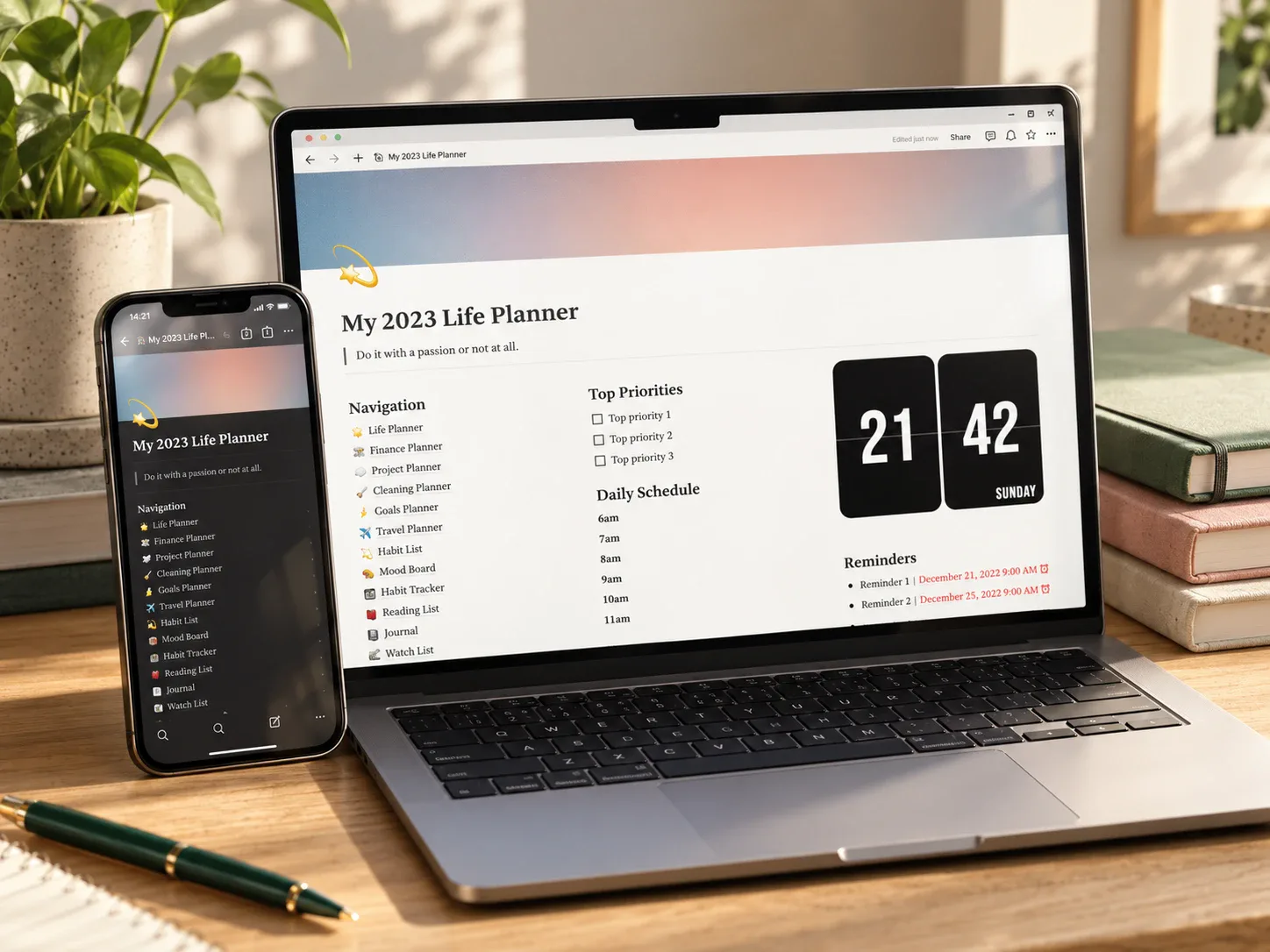
The Notion Dashboard Life Planner is a broad Notion life planner that pairs a finance planner with a monthly planner, project planner, cleaning planner, travel planner, goals planner, and several other sections in one workspace. Instead of a finance-first dashboard, money is one of thirteen connected areas.
That scope makes sense specifically when money decisions genuinely depend on other parts of life — a project deadline, a travel plan, a shared household goal — rather than when a simple weekly budget check is all that is needed.
What the template includes
The product description positions this as an all-in-one dashboard for "a busy professional, a student juggling multiple responsibilities, a small business entrepreneur, or just an organised person" — finance is one customizable piece of a larger connected system, not the main feature.
How it could fit a monthly review
A useful rhythm would be reviewing the finance planner alongside the monthly and project planners in the same sitting, so a savings goal, a project deadline, and a travel plan that all touch the same money get checked together instead of in three separate tools.
This template is most relevant to readers searching for a Notion life planner broad enough to hold money alongside everything else, rather than a focused budget tracker on its own.
Who it may suit
This may suit someone whose finances are tightly connected to projects, travel, or household management, and who wants all of it in one workspace. It is less useful for someone who only wants a weekly money check-in — a focused finance tracker will be easier to maintain for that alone.
What to verify before buying
- Confirm the delivered file contains a working Notion duplication link.
- Check how the finance planner section is structured and whether its categories can be renamed.
- Review which of the thirteen sections you would actually use before committing to maintaining all of them.
- Confirm unused sections can be archived or removed without breaking the rest of the dashboard.
- Read the exact license and commercial-use terms for this item.
Explore this template
Review the current product description, its reviews, and license terms before deciding whether the full scope fits your routine.
View the planner details →Written by Calm Budgets