One of the most-reviewed templates covered here, useful for keeping trip plans and trip spending in the same place.
A Notion travel planner with budgeting built in
The Notion Travel Planner Dashboard is a Notion travel planner that keeps trip planning and trip spending in one place: itinerary, sightseeing, transport, accommodation, packing, and a budget and expenses section. Its description emphasizes setting spending limits and monitoring expenses while you are away, not just planning the route.
Of all the templates covered on this site so far, it is also one of the most reviewed.
What the template includes
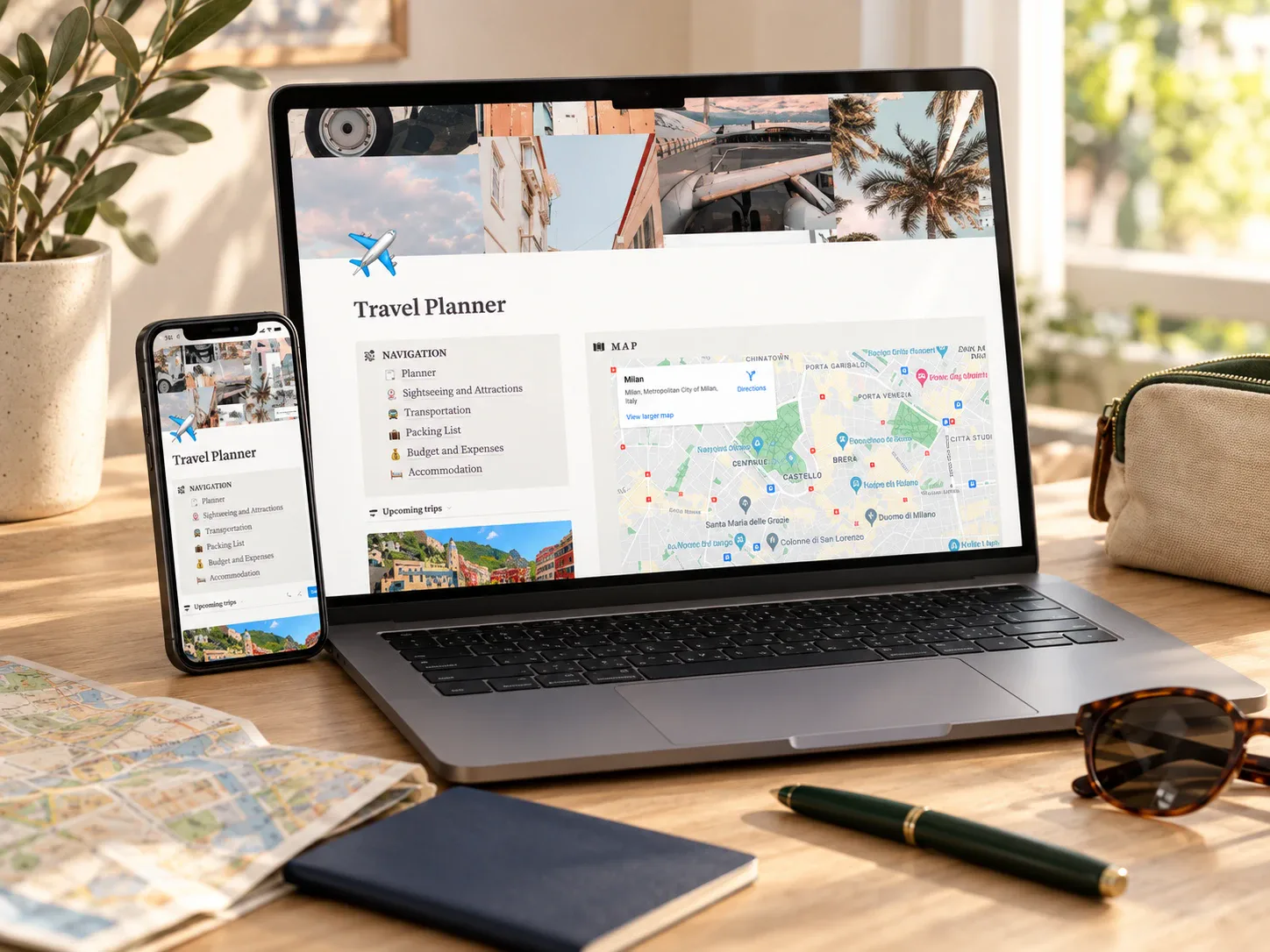
The listing's preview images show a desktop and mobile view of the same dashboard, with navigation for planner, sightseeing, transportation, packing list, budget and expenses, and accommodation.
How it could fit a trip-budget routine
A useful rhythm would be estimating every category in the budget section before booking, adding booked costs as they are confirmed, and logging daily spending from a phone each evening during the trip. After returning, the planned-versus-actual comparison makes the next trip easier to budget.
This template is most relevant to readers searching for a travel budget planner or travel budget template that also holds the itinerary.
Who it may suit
This may suit someone planning one or more trips a year who wants budget, bookings, and packing in the same workspace. It is less useful if you only need a quick spreadsheet of costs.
What to verify before buying
- Confirm the delivered file contains a working Notion duplication link and a complete home page.
- Check how the budget and expenses section records spending limits and actual costs.
- Review whether multiple trips can be tracked separately.
- Confirm the mobile view works well enough for logging spending while traveling.
- Read the exact license and commercial-use terms for this item.
Explore this template
Review the current product description, its reviews, and license terms before deciding whether the template fits your next trip.
View the planner details →Written by Calm Budgets