
Track the next cumulative balance, not only the finish line. Record the actual month, then rebuild the remaining milestones when reality changes.
A large savings goal can look unchanged for months. The finish line stays far away, while the deposits that move you toward it feel small. A savings goal tracker becomes more useful when it shows the next reachable checkpoint, not only the final amount.
This guide turns one goal into a month-by-month milestone ladder. You will calculate an initial pace, give every month a cumulative target, record what actually happened, and revise the remaining milestones without pretending every month will be identical.
Your monthly contribution is the amount you plan to add this month. A milestone is the total balance you expect to have reached by the end of that month. Track both. A $200 contribution and a $1,400 cumulative milestone answer different questions.
Why the finish line is not enough
Imagine saving $3,600 for moving costs over twelve months. A tracker that shows only “$400 of $3,600” tells you the current balance, but not whether you are on pace, what success looks like this month, or what to change after a smaller deposit.
A useful one-goal tracker answers five questions:
- What is the verified amount already saved for this goal?
- What total amount is still needed?
- How many real contribution months remain before the money is needed?
- What cumulative balance should be visible at the end of each month?
- What will you adjust when the actual balance differs from the milestone?
This is narrower than a general savings tracker for several goals. The purpose is to keep one important goal close enough to act on.
Step 1: define one goal with a real amount and date
Write a specific goal sentence:
I want to have $3,600 reserved for moving costs by September 30.
Then separate the four numbers that drive the tracker.
Count money as “saved” only when it is genuinely reserved for this goal. A checking-account balance that still has to cover rent, food, or bills is not part of the milestone.
The deadline should be the date the money is needed, not the date you hope to make the final transfer. If the deposit must be paid on September 1, September is not a full saving month.
Step 2: calculate the starting monthly pace
Use the remaining amount, not the original goal:
(goal amount − saved now) ÷ contribution months remaining
For the example:
($3,600 − $400) ÷ 8 = $400 per month.
The Consumer Financial Protection Bureau uses the same basic planning structure in its My New Money Goal worksheet: define the goal amount and date, calculate the monthly amount needed, and compare it with what is actually available to save. Consumer.gov also notes that savings can be included as a planned expense in a monthly budget.
Treat $400 as a proposed pace, not an order. Compare it with a recent normal month. If the amount would force essential bills onto a credit card or empty the buffer you rely on, change the deadline, the goal cost, or both before building the ladder.
Step 3: turn contributions into cumulative milestones
Now add the planned monthly contribution to the starting balance one month at a time. The milestone is cumulative: it shows the total you expect to have reserved by each review date.
| Review date | Planned contribution | Cumulative milestone | Actual balance |
|---|---|---|---|
| February 28 | $400 | $800 | — |
| March 31 | $400 | $1,200 | — |
| April 30 | $400 | $1,600 | — |
| May 31 | $400 | $2,000 | — |
| June 30 | $400 | $2,400 | — |
| July 31 | $400 | $2,800 | — |
| August 31 | $400 | $3,200 | — |
| September 30 | $400 | $3,600 | — |
This table makes the next checkpoint obvious. In March, the useful question is not “Am I at $3,600 yet?” It is “Is the verified balance near $1,200, and what needs to happen before March 31?”
Step 4: give each month one action
A milestone without a transfer plan can still stay decorative. Under each month, add one action that says when and how the contribution will happen.
- Move $200 after each of two paychecks.
- Move $100 every Friday in a five-Friday month, then reduce the next month by the extra $100.
- Schedule a $300 baseline transfer and add up to $100 only after variable income arrives.
- Review the balance on the final Sunday of the month and set the next transfer date.
If your pay timing varies, connect the transfers to real paydays with the biweekly budget guide. Do not divide by four automatically when the month contains five weekly pay periods or when bills make one week unusually tight.
Step 5: record the actual balance and the gap
At the monthly review, use the savings-account balance or another reliable record. Do not estimate from memory.
The April milestone was $1,600
The gap is information. It does not need a red failure label. Record why it happened in one short line: “car repair,” “smaller freelance payment,” or “started one week later.” That note helps you decide whether the month was unusual or the original pace was unrealistic.
Step 6: rebuild the remaining ladder when reality changes
After the April example, the actual balance is $1,450. The goal is still $3,600 and five contribution months remain:
($3,600 − $1,450) ÷ 5 = $430 per month.
Replace the remaining $400 contributions with $430 and update the cumulative milestones. Do not rewrite past months to make the chart look smooth. Keeping planned and actual amounts side by side makes the tracker honest.
If $430 does not fit, choose a real adjustment:
- Move the deadline. More months reduce the required pace.
- Reduce the goal cost. Remove optional parts or choose a smaller version.
- Use a smaller baseline. Add irregular income only after it arrives.
- Pause another flexible goal. Protect essential bills and emergency savings first.
What belongs on a one-goal savings tracker
A progress bar can sit at the top, but it should not be the only signal. Two goals can both show 40% while one is on pace and the other is three months behind. The milestone ladder provides the timing that a single percentage cannot.
How to adapt the Smart Goals Notion Template
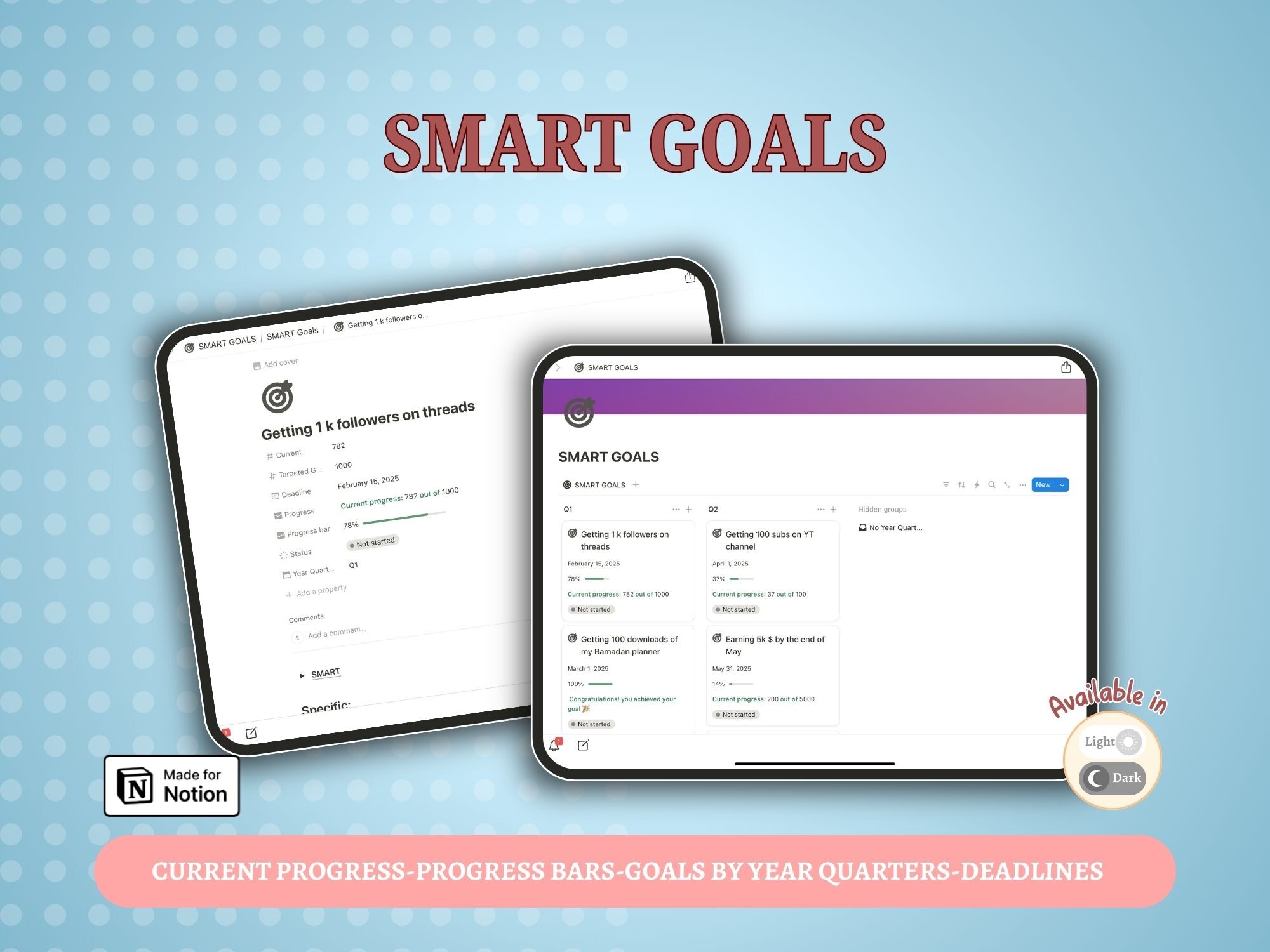
The Smart Goals Notion Template by Royal Cool is a general goal-planning template, not a ready-made savings system. Its public listing confirms goals organized by year and quarter, current-progress tracking, progress bars, a SMART goals frame, and deadlines.
Those confirmed features can hold the goal statement, deadline, progress, and broader time horizon. You would still need to add your own month rows, cumulative dollar milestones, actual balances, and gap notes. The listing does not claim a savings calculator, deposit log, budget database, or automated monthly milestone formula.
The public card shows four previews and no reviews at the time checked. The product was not purchased or duplicated for this article, so internal formulas, database relationships, and link delivery were not independently tested.
Explore the Smart Goals Notion Template
Consider it if you want a general Notion goal page with deadlines and visible progress and you are comfortable adding your own savings fields. Skip it if you need a ready-made finance tracker, automated savings formulas, or a verified deposit database.
View the template details →Four mistakes that make milestones less useful
Tracking deposits but not the cumulative balance
A list of $100 and $200 transfers does not show whether the goal is on pace. Keep the actual reserved balance beside the milestone.
Using the original goal after part of it is already saved
Calculate the pace from the remaining amount. Otherwise the monthly target will be too high.
Counting a partial final month
If the money is due early in the month, do not count that month as a full contribution period.
Hiding a missed milestone
Keep the actual number, write the reason, and rebuild the remaining ladder. A tracker is a decision tool, not a perfect streak.
Template options to compare
Choose the format and scope that match your routine; you do not need all of these products. Check the current listing, included files and setup requirements before buying.
 Notion goal planner
Smart Goals Notion Template
Goals by year and quarter, progress bars, a SMART goals frame and deadlines. This is a general goal planner; add your own savings fields if needed.
View the product and included files → Notion template
PLR Finance Tracker
A focused Notion tracker for income, expenses, editable categories and savings goals. Choose it when you want to maintain money records without a whole-life workspace.
View the product and included files →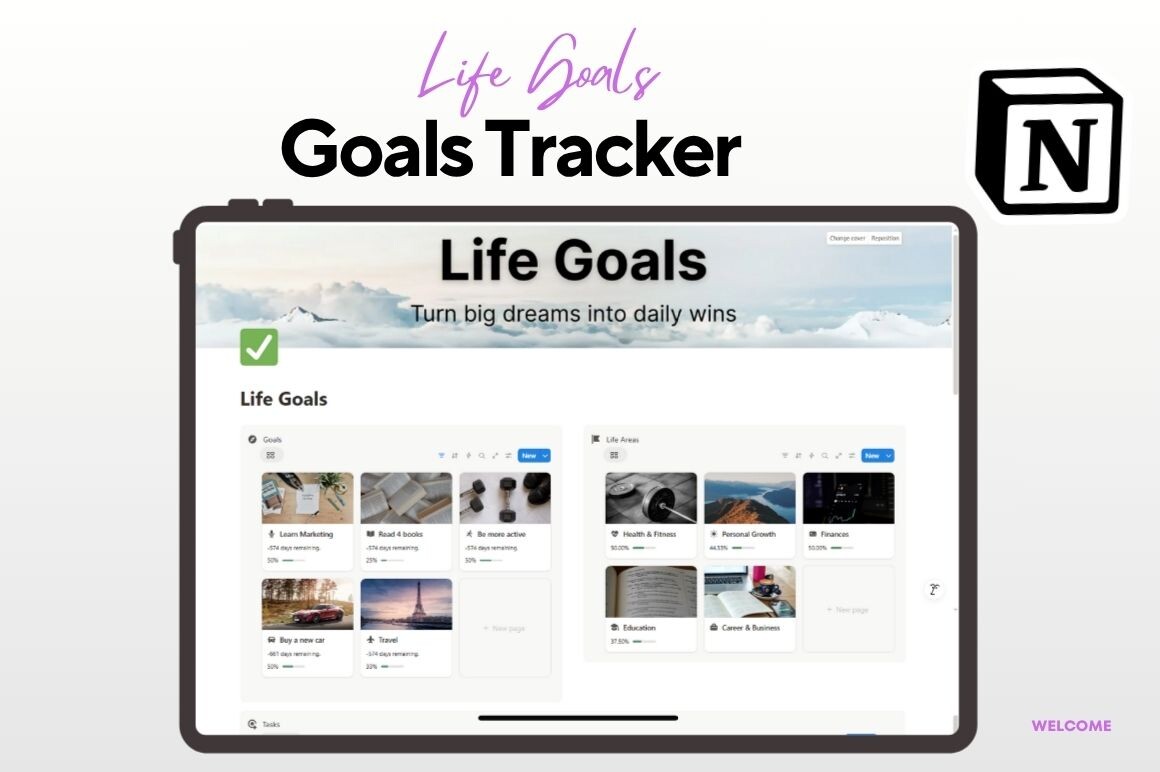 Notion template
Notion Life Goals Mastery Template
A Notion goal system whose public listing includes progress bars, countdowns, linked tasks, deadlines, statuses, and progress by life area including Finances.
View the product and included files →Frequently asked questions
Should every month have the same savings target?
No. Equal contributions are easy to understand, but you can use a smaller baseline in tight months and larger planned amounts in higher-income months. The cumulative milestones still need to add up to the final goal.
What if my income changes every month?
Use a baseline that fits a conservative normal month. Record extra contributions only when the income arrives, then recalculate the remaining milestones.
How often should I update the tracker?
Update it after each deposit and perform one formal review at the end of the month. The review should confirm the actual balance and the next milestone.
Can I track several goals this way?
You can, but give each goal its own deadline, milestone ladder, and reserved balance. If you need an overview of several goals, start with the broader savings tracker guide.
Does a progress bar replace monthly milestones?
No. A bar shows how much of the goal is complete. Monthly milestones show whether that progress matches the time remaining.
Start with the next visible number
Write one goal, confirm what is already reserved, and count the real contribution months. Calculate the first pace, then turn it into cumulative balances you can check at the end of each month.
The finish line still matters. The milestone ladder simply gives you a closer number to act on—and a calm way to revise the plan when a real month does not match the first draft.
Sources
- Consumer Financial Protection Bureau: My New Money Goal worksheet
- Consumer Financial Protection Bureau: Your Money, Your Goals toolkit
- Consumer.gov: Making a Budget
- FDIC: Saving for the Unexpected and Your Future
- Creative Fabrica: Smart Goals Notion Template
This article is educational and does not provide individualized financial advice.
Written by Calm Budgets