Start with the information you need to see. Then check how you enter it, update it, and find it again.
1. The scope matches your real questions
Look for income, expenses, bills, and savings only if those are the areas you will review. Extra life-planning sections are useful only when you intend to connect them to the same routine.
Write a short must-have list before opening product pages. “See this month’s spending by category” is a useful requirement. “Have a beautiful dashboard” is a preference, but it does not tell you which information needs to be available.
2. Setup is explained clearly
The listing should explain how the template is delivered, how it is duplicated into Notion, and whether any instructions are included. A preview alone is not enough.
Look for a clear first-use path: where the link arrives, how you add the template to your workspace, and what sample information needs replacing. Check any stated plan requirements, integrations, or additional costs.
3. Categories are editable
Your income and expense categories should fit your situation. Check whether the system can be simplified without breaking its core views.
Think through a familiar transaction. Where would it go? Would you need several tags to record it? A category list should be specific enough to answer your questions, but short enough that entering a transaction feels routine.
4. Weekly maintenance looks realistic
Estimate how many fields must be updated and how many views you need to check. A system that takes too long to maintain will stop being current.
Do not assume a template connects to your bank or updates balances automatically. Look for an explicit description of how data gets into the workspace. If entries are manual, decide whether that fits the time you want to spend each week.
5. Upcoming bills stay visible
A useful tracker should make timing clear, not just show historical totals. Look for a practical way to see what is due next.
A due-date field, a calendar, and a payment reminder are different things. Choose what you need and check that it is included; a screenshot with a calendar does not, by itself, explain whether reminders are set up.
6. Savings goals have a clear update method
Progress should be easy to record and review. Decorative goal pages are less useful when the update process is unclear.
Ask what changes the progress display: a manually entered total, recorded contributions, or a calculation. Understanding that small detail can prevent keeping two different versions of the same savings figure.
7. The listing separates facts from decoration
Confirm what is actually included, whether screenshots show the delivered template, and what reviews say about access and duplication. If these details are missing, compare another option before buying.
Three questions for any template
Two listings to examine with this checklist
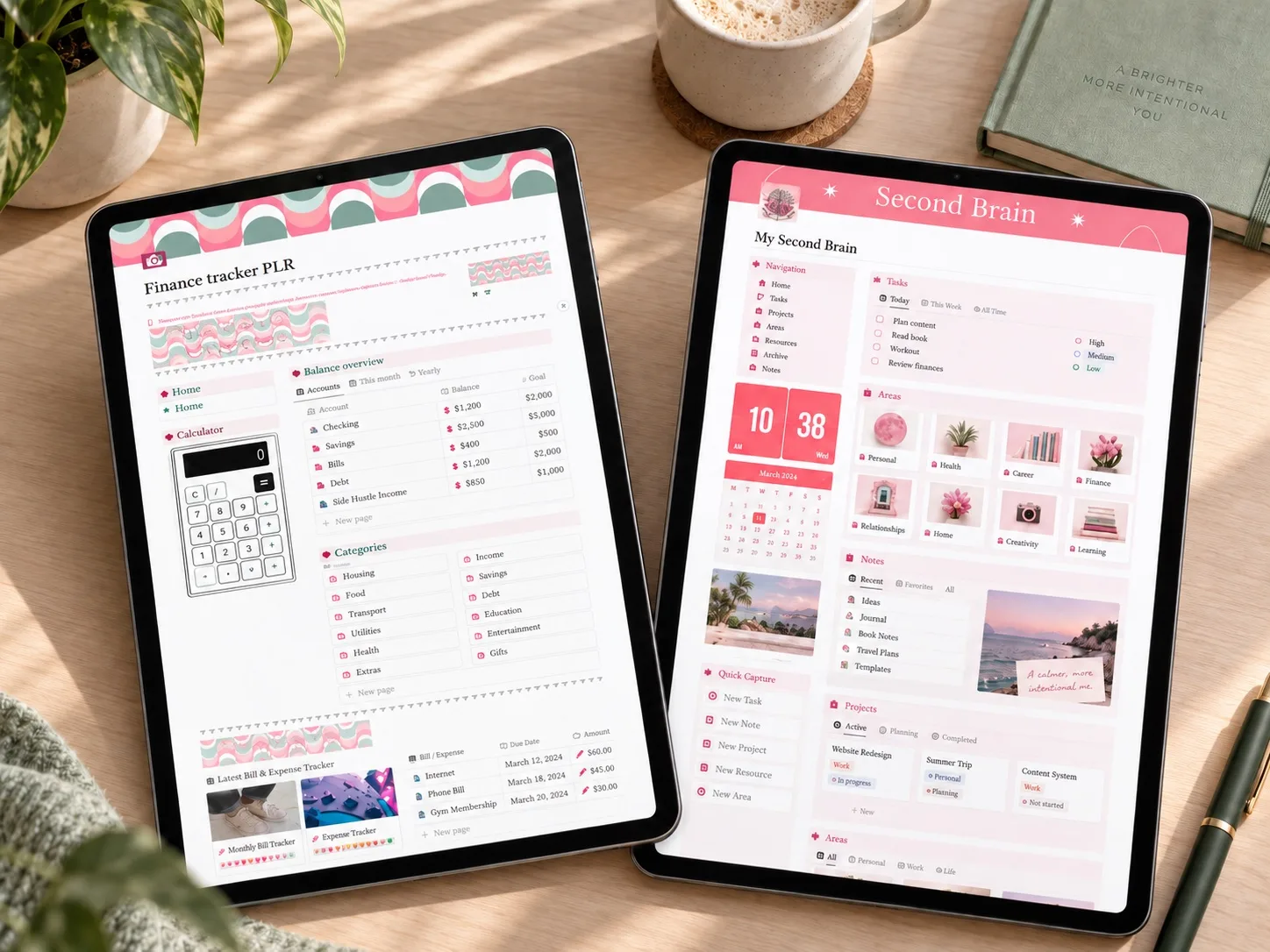
The PLR Finance Tracker Notion Template brings together income and expenses, customizable categories, savings, a to-do list, and a wishlist. It is a good example of point 7: the listing has several reviews you can read before deciding.
PLR Finance Tracker Notion Template
Review the product details and decide whether it fits your routine.
Read the planner guide →The Finance OS Tracker is a useful contrast for the same point. It covers income, expenses, subscriptions, and account balances, but the listing has no public reviews yet. That does not make it unusable, but it does mean you are checking facts against the description alone rather than against other buyers' experience.
Finance OS Tracker
A newer listing worth checking carefully before you rely on it.
Read the planner guide →Save the idea for later
A small reminder for your next planning session.
Save to Pinterest
Written by Calm Budgets