Use the lender statement as the source of truth, then track the dated balance, payment, interest or fees, principal reduction, next due date, milestone, and one next action.
A debt payoff tracker should do more than display a balance that seems to move too slowly. It should show what changed, why it changed, and what you need to do next.
Your lender's statement remains the source of truth. The tracker is your decision layer: one place to compare the latest statement balance, payment, interest or fees, principal reduction, next due date, and the action you plan to take before the next review.
This guide builds that layer without turning debt payoff into a daily data-entry project. It also keeps a clear boundary between choosing a payoff method and tracking the plan you already chose.
A tracker is not the same as a payoff plan
A debt payoff plan answers strategic questions: which debts belong in the plan, what order will you use, and how much extra can your budget safely support? A tracker answers operational questions after that decision:
- Was the required payment made?
- How much interest or fees appeared on the latest statement?
- How much did principal actually fall?
- What is the next due date and planned payment?
- Does the tracker still match the lender's record?
Keep the two jobs separate. You should not have to reconsider your entire payoff strategy every time you update a balance.
The 13 fields worth tracking
| Field | Why it matters | Update rhythm |
|---|---|---|
| Debt nickname | Identifies the account without storing a full account number | Once |
| Debt type | Separates credit card, personal loan, student loan, and other obligations | Once or when status changes |
| Starting balance | Preserves the baseline for progress | Once |
| Statement balance | Gives you a dated balance from the creditor | Each statement |
| APR | Provides context for interest cost; confirm it on the statement | When it changes |
| Minimum due | Shows the required payment for this cycle | Each statement |
| Due date | Prevents progress tracking from hiding a payment deadline | Each statement |
| Planned payment | Records the amount your current budget can support | Monthly or each payday |
| Actual payment | Shows what was really sent | After payment posts |
| Interest and fees | Explains why the balance did not fall by the full payment | Each statement |
| Principal reduction | Makes real payoff progress visible | Each statement |
| Next action | Turns the update into a decision | Every review |
| Milestone | Creates a nearer checkpoint than “paid off” | When reached |
The Consumer Financial Protection Bureau's debt log similarly uses the lender, amount owed, monthly payment, due date, interest rate, and payoff information to create a fuller picture. The point is not to collect every possible detail. It is to keep the few numbers that explain progress and protect the next payment.
Why the balance is not always the payoff amount
The CFPB explains that a payoff amount can differ from a current balance because it may include interest owed through the payoff date, unpaid fees, or other charges allowed by the agreement. If you are preparing to clear an account completely, request a current payoff amount from the creditor instead of assuming the dashboard balance is exact.
Use the latest statement balance to reconcile your tracker. Use a creditor-provided payoff amount when you are ready to close the debt in full.
Add an “as of” date beside every balance. A number without a date becomes misleading quickly.
Make progress visible when the balance moves slowly
One large remaining balance can make a consistent month feel unsuccessful. Add three smaller signals:
- Payments completed: for example, 4 of 12 planned payments made this year.
- Principal reduced: starting balance minus the latest reconciled balance.
- Next milestone: the next round-number balance, percentage reduction, or scheduled review.
Suppose a card began at $5,000. The latest statement balance is $4,610 after a $284 payment, and the statement shows $74 in interest and fees. The visible principal reduction for that cycle is $210, not $284. Your tracker can show both: the payment happened, and $210 of it moved the balance.
This is an illustrative example, not a forecast. Actual application of payments depends on the debt and account terms.
A 10-minute monthly update routine
- Open the latest creditor statement.
- Confirm the statement date, balance, minimum due, due date, APR, and interest or fees shown.
- Enter the actual payment only after it posts.
- Compare the tracker with the statement and correct any mismatch.
- Update principal reduction and the nearest milestone.
- Check that the next planned payment still fits your current budget.
- Write one next action and schedule its review date.
If you have several debts, update them in the same session. Avoid changing balances from memory between statements. The tracker should reduce uncertainty, not create a second ledger that drifts away from the lender's records.
End every review with one useful next action
A completed update should tell you what happens next. Good actions are specific and dated:
- schedule the $260 payment for Friday;
- ask the issuer why the APR changed;
- confirm how an extra payment will be applied;
- reduce this month's extra payment because an essential bill increased;
- request an official payoff quote on the 25th;
- contact the creditor promptly if the minimum payment is no longer manageable.
The Federal Trade Commission advises contacting creditors before accounts are sent to collection when you are struggling and keeping records of agreements. A tracker can remind you to act, but it cannot replace a creditor's written confirmation or a qualified adviser.
Record extra payments carefully
Do not assume every extra dollar is applied in the way you expect. For student loans, for example, the CFPB notes that payments generally go to fees, then interest, then principal, and an overpayment may affect the next due date unless you give appropriate instructions. Other debts have their own terms.
Add a short “application confirmed?” field for an extra payment. Check the servicer's instructions, then verify the result on the next statement. This protects you from celebrating an expected principal reduction that did not occur as planned.
How to build the tracker in Notion
Start with one database named Debt Accounts. Use one row per debt and keep the working view small.
- Title: a neutral debt nickname;
- Select: debt type and status;
- Numbers: starting balance, latest statement balance, minimum due, planned payment, actual payment, interest and fees;
- Date: statement date, due date, next review;
- Text: next action and milestone;
- Formula, if useful: starting balance minus latest balance.
Create a current view showing active debts, due date, minimum due, planned payment, and next action. Keep statement history in a separate payment log only if you will actually maintain it. A single current row plus a monthly note is enough for many people.
For privacy, use nicknames rather than full account numbers. The CFPB's debt materials also warn against including sensitive names and account details when a debt log is shared.
A broader Notion dashboard example
The approved Personal Home Dashboard Notion Template by Núria Gabàs is a broader life-planning workspace. Its public listing names sections for tasks, projects, meals, goals, health, finance, learning, books, workouts, a Pomodoro timer, and other everyday planning areas. The listing specifically describes a Finance Tracker for expenses and budgeting.
That makes the template relevant if you want the debt database described above to live beside a wider money-and-life system. It does not mean the product includes a dedicated debt payoff tracker, snowball or avalanche view, payoff formulas, or the 13 fields in this article. Those are editorial recommendations you would need to create or adapt yourself.
The product was not purchased, duplicated, or tested for this article. The description is based on the current public Creative Fabrica listing and its visible previews. At the time checked, the listing showed 161 favorites and two verified 5/5 reviews; those signals can change.
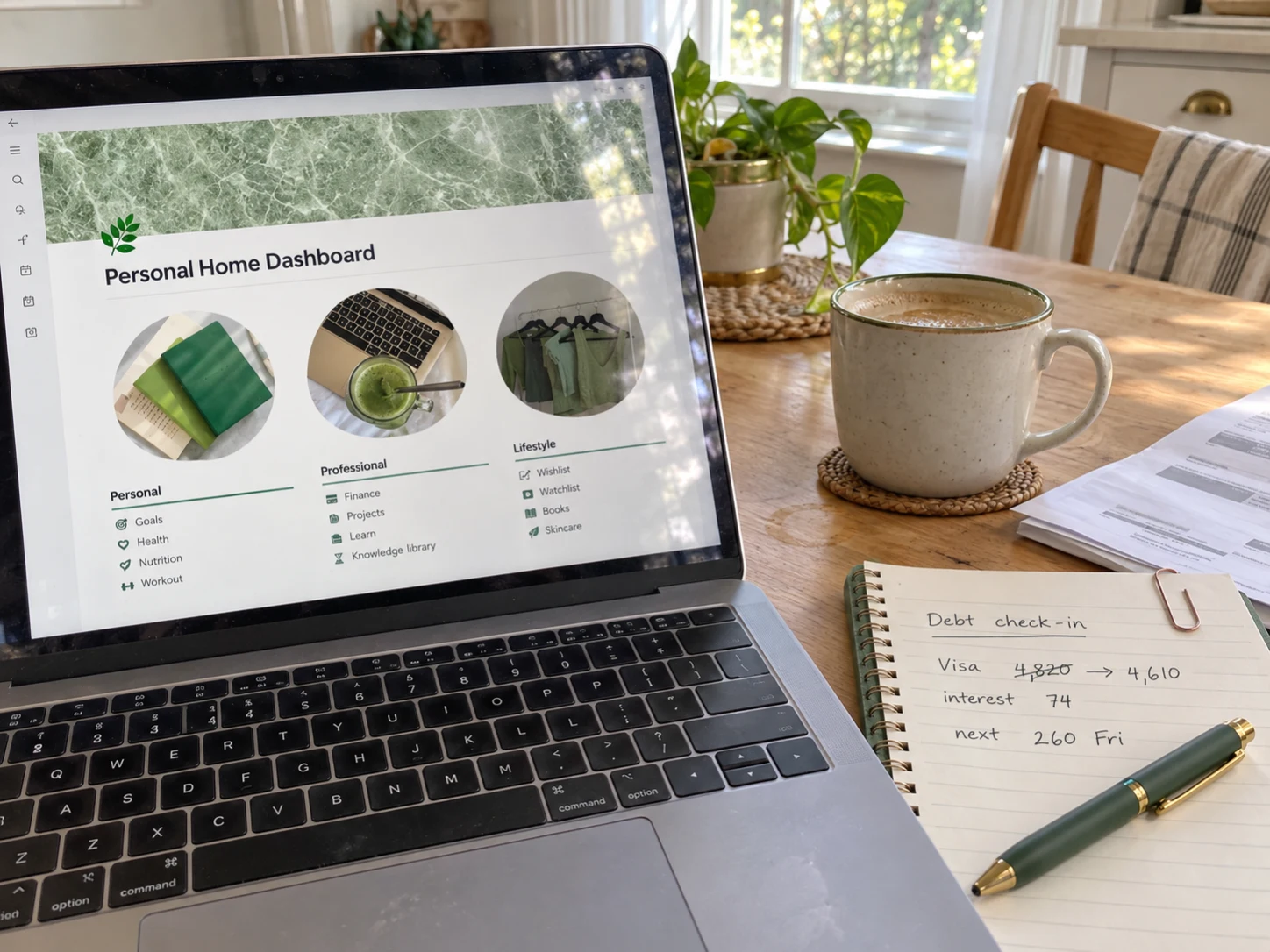 Broader Notion life planner
Personal Home Dashboard Notion Template
A beige-and-green Notion workspace whose public listing includes a finance tracker alongside planning for tasks, projects, goals, health, learning, meals, books, and routines.
See the current template details →Five common tracker mistakes
- Updating from memory. Reconcile against a dated statement.
- Tracking only the balance. Add interest, payment, due date, and next action.
- Storing sensitive details. Use a nickname, not a complete account number.
- Recording planned payments as completed. Wait until the payment posts.
- Changing strategy every week. Review the method on a schedule; use the tracker for execution.
Frequently asked questions
How often should I update a debt payoff tracker?
Update it after each new statement and after a payment posts. A short monthly reconciliation is usually more reliable than frequent guesses based on pending transactions.
Should I track interest separately?
Yes, when the statement provides it. Interest and fees explain why the balance may fall by less than the payment and help you avoid treating the full payment as principal reduction.
Can I combine several debts in one tracker?
Yes. Use one row per debt in the summary view. If you need payment history, keep a separate log related to those accounts rather than adding dozens of columns.
Do I need a payoff date?
A target can be motivating, but label estimates clearly and revise them when the payment amount, rate, or fees change. For a final payment, request the current payoff amount from the creditor.
What if I cannot make the minimum payment?
Contact the creditor promptly and keep records of the conversation and any agreement. A tracker can organize the next step, but it is not a substitute for direct help.
Track the next decision, not just the final zero
Your remaining balance matters, but it is not the whole story. A useful tracker shows the dated balance, payment, interest or fees, actual principal reduction, next due date, and one action you can complete before the next review.
Build the smallest version you will reconcile every month. Let the creditor statement supply the facts, let your payoff plan supply the strategy, and let the tracker keep the next step visible.
Sources
- Consumer Financial Protection Bureau: Your Money, Your Goals debt booklet
- Consumer Financial Protection Bureau: Reducing debt worksheet
- Consumer Financial Protection Bureau: Payoff amount versus current balance
- Consumer Financial Protection Bureau: How student loan payments are applied
- Federal Trade Commission: How to get out of debt
- Creative Fabrica: Personal Home Dashboard Notion Template
This article is educational and does not provide individualized financial advice.
Written by Calm Budgets