A shop runs more smoothly once goals, orders, pricing, and content ideas live in one place you actually check every week, instead of five separate tools.
Running a handmade or print-on-demand shop rarely fails because of one big mistake. It fails in small pieces: an order missed in a busy week, a price that never gets updated after material costs rise, a content idea that disappears in a notes app you forgot you opened. None of that shows up as a single problem you can fix in an afternoon.
This guide is for anyone running a small creative shop. Etsy is the most common starting point, but the same structure works for Amazon Handmade, Shopify, or a local craft business. The method matters more than the platform.
Why shop information ends up scattered
A new seller usually starts with what is already open: a notes app for ideas, a spreadsheet for orders, the platform's own analytics page for sales, and a mental note for pricing. Each tool is reasonable on its own. The problem is switching between them under time pressure, right before a listing goes live or a sale ends.
The cost is not visible immediately. It shows up as a listing that never got its seasonal price update, a bestseller with no restock plan, or a content idea that would have taken ten minutes to publish but was never written down anywhere you would see again.
You do not need more tools. You need one place where goals, products, orders, pricing, and content ideas live next to each other, so a five-minute check actually shows the full picture.
Build one shop dashboard instead of five open tabs
The fix is not complicated: keep every part of running the shop in one connected space instead of several disconnected ones. A single dashboard works because it removes the switching cost. You open one page, and goals, products, orders, and pricing are already next to each other.
This does not mean deleting your platform's own analytics or your accounting spreadsheet. It means having one place that pulls the parts you check often, so you are not rebuilding that picture from memory every time.
The five things worth tracking in one place
Whatever tool you use, these five areas cover most of what a small shop owner actually checks on a normal week:
- Orders. What is pending, what is shipped, what needs a reply.
- Products and pricing. Current price, last review date, and material cost changes that have not been reflected yet.
- Sales and discounts. What is currently running and when it ends, so a discount does not quietly continue past its intended date.
- Keyword and listing research. The search terms you are targeting for each listing, reviewed occasionally rather than guessed once and forgotten.
- Content and social ideas. A running list, so a good idea during a busy day survives until you have time to use it.
None of these require a new skill. They require one shared home instead of five separate ones.
A simple weekly system
A dashboard only helps if you actually open it. A short, repeatable check works better than an ambitious one you abandon after two weeks.
- Five minutes on Monday: review pending orders and anything due for a reply.
- Ten minutes mid-week: check current sales and discounts, and confirm nothing is running longer than planned.
- Ten minutes before a new listing: check your keyword notes and current pricing for similar products before publishing.
- Five minutes anytime an idea appears: write it in the content list instead of trusting memory.
None of these steps require a full afternoon. The point is that they happen consistently, not that any single session is long.
A realistic example
Imagine a seller who makes printable planners and sells them on Etsy. Without a shared system, a seasonal bundle stays priced at its launch rate for a year, a returning customer's message waits three days because it was buried under sales notifications, and a strong content idea from a slow Tuesday is never turned into a listing update.
With one dashboard reviewed weekly, the seasonal bundle gets flagged for a price review every quarter, the pending message shows up in the first five-minute check on Monday, and the content idea sits in a visible list until there is time to act on it. This is an illustrative example, not a reported personal result.
What usually breaks a shop system
- Starting with too many categories. Five areas are enough; a system with twenty sections gets abandoned.
- Tracking ideas but not reviewing them. A list nobody reopens is the same as no list.
- Treating pricing as a one-time decision. Material costs and platform fees change; pricing needs a recurring check, not a single setup.
- Splitting the system across tools again. If orders live in one app and content ideas in another, you are back to switching costs.
A ready-made starting point
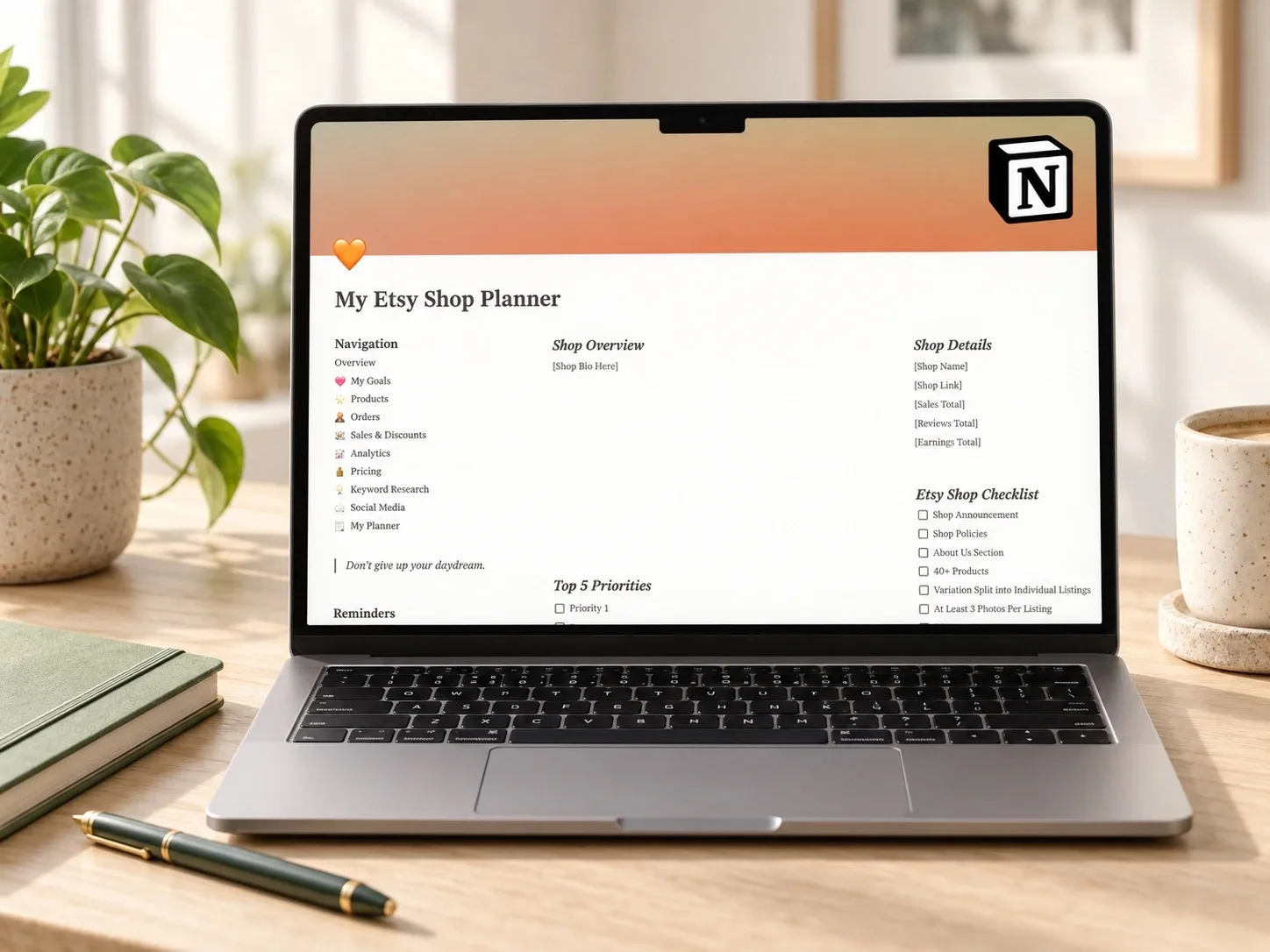 Shop organization
Etsy Shop Dashboard
A Notion dashboard for goals, products, orders, sales and discounts, an analytics tracker, a pricing guide, keyword research, social media, and a personal planner in one connected space. It may suit a seller who wants the five areas above in one place instead of several separate tools.
Read the planner guide →Questions people ask before starting
Do I need Notion specifically?
No. The same five-area structure works in a spreadsheet or a paper planner. Notion makes it easier to link related pages together, but the structure matters more than the tool.
Is this only for Etsy?
No. Etsy is the most common starting point for this kind of shop, but the same system applies to Amazon Handmade, Shopify, or a market-stall business with its own order list.
How much time does this take to set up?
Setting up categories takes under an hour. The value comes from the weekly five-to-ten-minute reviews, not from a long one-time setup.
What if I only sell a few items a month?
Start with orders and pricing only. Add keyword research and content planning once volume grows enough that ideas start getting lost.
Start with one page tonight
Pick the two areas costing you the most right now, usually orders and pricing, and give them one shared page. Add the rest once that habit sticks.
A system earns its place when it helps you make the next decision, not when it has the most sections. Keep it small enough to actually open every week.
Written by Calm Budgets