A daily planner works best as a limited work surface: one focus, three priorities, a few time anchors, short routines, and one place for loose notes.
A daily planner should make today feel smaller. If opening your planner reveals every project, unfinished idea, habit, appointment, and long-term goal at once, the system is asking you to organize your whole life before you can begin one ordinary day.
The better approach is a deliberately limited daily screen. It should answer four questions: What matters most today? What must be finished? When will the important work happen? Where can loose thoughts wait without distracting you?
This guide shows how to build that simple daily planning system in Notion, how to use it without turning planning into another job, and how to decide whether a ready-made template will help.
The quick answer
Keep your Notion daily planner to five visible parts:
- one focus for the day;
- no more than three priority tasks;
- a short schedule made of real time anchors;
- two tiny routine checklists, if they genuinely help;
- one parking area for notes that do not need action today.
Everything else can live elsewhere. Your project plans, reading list, someday ideas, yearly goals, and full habit history do not need to compete for attention on the page you open each morning.
Why daily planners become impossible to maintain
Many planners fail because they are designed for an ideal day rather than a normal one. The page looks impressive when it is empty, but maintaining it requires too many decisions.
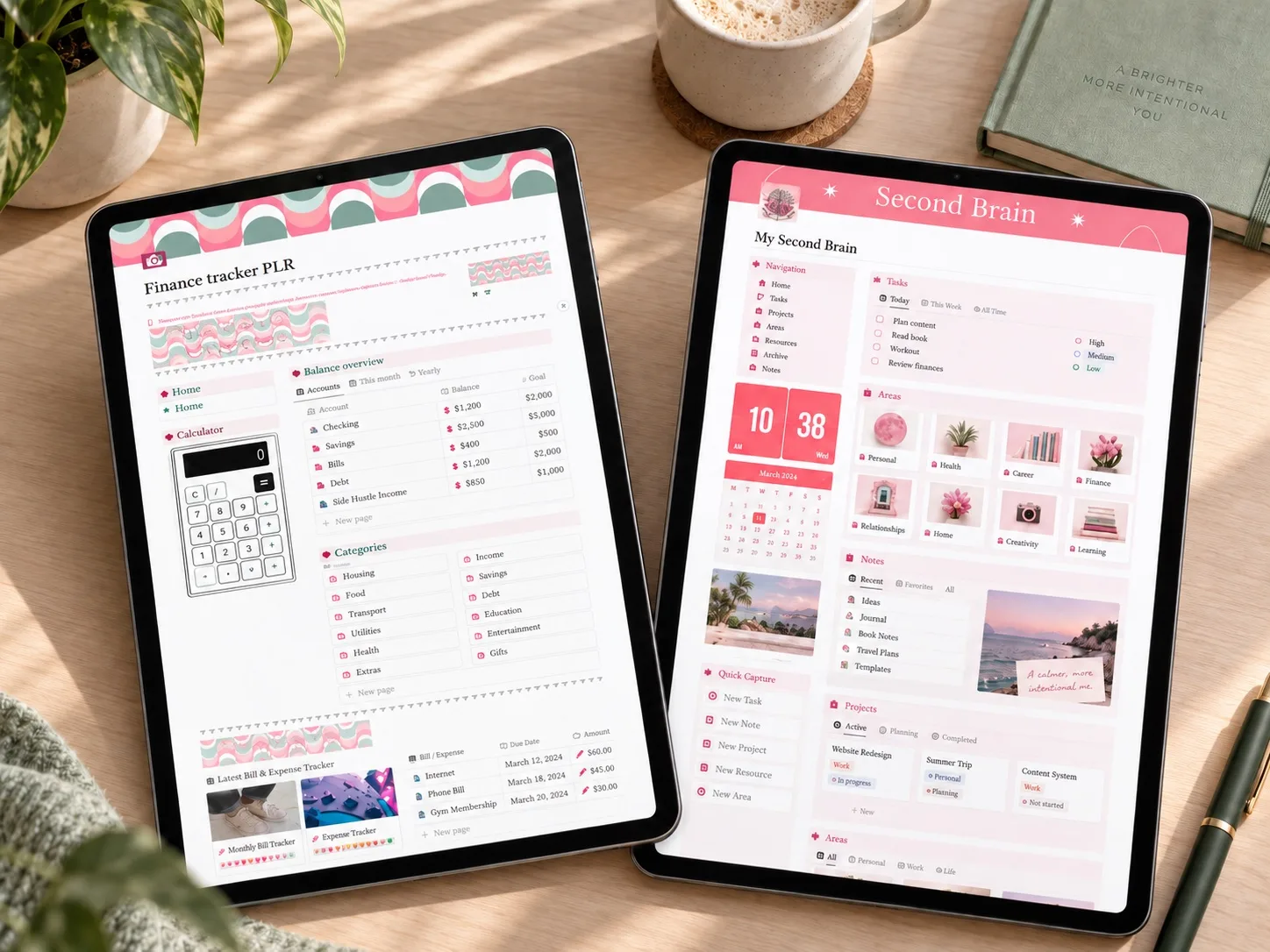
A common setup includes a large task database, hourly calendar, habit tracker, meal plan, mood log, journal, finance dashboard, project list, reading list, and goal tracker. None of those tools is automatically bad. The problem is putting all of them in the daily decision path. If you are unsure how much structure you need, compare a simple tracker with a second-brain system before adding more sections.
When every area is visible, three things happen:
- urgent tasks and interesting ideas look equally important;
- unfinished items accumulate until the page feels like evidence of failure;
- updating the planner takes longer than deciding what to do.
A useful daily planner is not a complete archive. It is a temporary work surface. Its job is to help you move through one day, then make tomorrow easier.
Use the one-screen rule
Try to keep the working parts of today visible without a long scroll. This is not a rigid technical limit; it is a design test. If you can see the focus, priorities, time anchors, and note area together, you can understand the day in a few seconds.
The one-screen rule also creates a natural boundary. When you want to add another widget, tracker, or database view, ask: will this change a decision I need to make today? If not, keep it on a separate page.
Your daily screen can still connect to larger systems. A priority may link to a project, and an expense reminder may point to a finance tracker. The difference is that the whole project or finance system does not need to be displayed on the daily page.
Block 1: one focus for the day
The focus is not a motivational quote and it is not another task. It is a short sentence that defines what would make the day feel meaningfully complete.
Examples:
- Send the finished proposal.
- Make the rent-and-bills plan for payday.
- Complete the first draft before editing anything.
- Prepare tomorrow so the morning starts calmly.
Choose one. If you write three focuses, you have created another task list.
The focus helps when the day changes. If a meeting runs long or an unexpected bill needs attention, you can protect the one result that matters and move less important work without treating the day as ruined.
Block 2: three priority tasks
Your daily planner can contain more than three tasks, but only three should be presented as priorities. This forces an important distinction between work that matters today and work that merely exists.
A practical priority passes at least one of these tests:
- it has a real deadline;
- another person is waiting for it;
- delaying it creates a cost or problem;
- it directly supports the day's focus.
Write priorities as finish lines rather than vague topics. “Budget” is hard to start. “Enter this week's five transactions and check the grocery balance” is clear. “Work on article” is open-ended. “Write the introduction and first two sections” has an obvious stopping point.
Keep a separate small list for optional tasks. If the three priorities are finished and time remains, choose from that list. Optional work should not visually compete with the must-do work at the beginning of the day.
Block 3: time anchors instead of a perfect hourly plan
An hourly schedule can be useful, but filling every hour creates a fragile plan. Most days contain interruptions, transitions, and tasks that take longer than expected.
Start with time anchors: appointments, school pickup, a bill payment window, a deadline, or a focused work block. Then place the most important task near the time when you realistically have the energy and space for it.
For example:
| Time | Anchor |
|---|---|
| 8:30 AM | Review the day and choose three priorities |
| 9:00–10:30 AM | Draft the proposal |
| 12:30 PM | Lunch and ten-minute walk |
| 3:00 PM | Client call |
| 5:15 PM | Pay electricity bill and close the workday |
Notice the open space. The schedule provides shape without pretending that every minute can be predicted.
If the day is highly structured, use more time blocks. If your work is reactive or your family schedule changes often, use only two or three anchors. The planner should reflect your life, not force your life to resemble someone else's screenshot.
Block 4: routines that stay short
Morning and evening routine sections are helpful when they reduce repeated decisions. They become unhelpful when they turn ordinary care into a long daily performance.
A morning checklist might contain only:
- check the calendar;
- choose today's focus;
- confirm the first work block.
An evening checklist might contain:
- mark completed priorities;
- move unfinished work intentionally;
- write tomorrow's first step.
Avoid tracking every possible good habit on this page. A long habit program deserves its own view. The daily planner only needs the routines that help you start and stop the day.
Block 5: a parking area for loose thoughts
Ideas, reminders, links, and requests will appear while you work. Without a capture area, they either interrupt the current task or disappear.
Use one small note section as a parking area. Add the thought quickly, then return to the current priority. During the evening reset, decide whether each note becomes a task, belongs to a project, should be scheduled, or can be deleted.
Do not let the parking area become permanent storage. Its value comes from being processed regularly. A note that sits there for three weeks is no longer reducing mental load; it is adding visual clutter.
How to build the page in Notion
You do not need a complicated database to test this system. Begin with a simple page and add only the structure you will use.
Step 1: create the daily shell
Add a title for the date, then place the five sections in the order you naturally look for them:
- Focus of the day
- Priority tasks
- Schedule
- Morning and evening routines
- Notes
If routines are not important to your day, leave them out. The structure is a menu, not a requirement.
Step 2: make priorities visually obvious
Use checkboxes for tasks and a short callout or heading for the daily focus. Keep the priority area near the top. An important task should not be hidden below decorative images or several rows of widgets.
Step 3: add only useful time blocks
Write fixed appointments first. Then reserve one or two realistic work periods. Leave buffer around transitions. A schedule that contains breathing room is more accurate than a beautiful plan that collapses at the first interruption.
Step 4: create a reusable starting version
Once the page works for a few normal days, keep a clean copy as your starting layout. Do not perfect the template before using it. Real use will show which sections deserve to remain.
Step 5: connect larger systems only when necessary
If you already maintain a task or project database, link today's priorities to it. If not, simple checkboxes are enough. Complexity should solve an observed problem, not be added because a feature is available.
A realistic example
Imagine a freelance designer who also needs to manage a household bill and prepare for an evening class.
Focus: Send the approved homepage design.
Three priorities:
- Apply the client's final corrections.
- Export and send the files by 2:00 PM.
- Pay the internet bill before the evening class.
Time anchors:
- 9:00–11:00 AM: design corrections;
- 1:30 PM: final export and delivery;
- 4:30 PM: pay the bill;
- 6:00 PM: leave for class.
Notes: ask the client whether the mobile illustrations belong in phase two; buy printer paper this weekend.
The page does not show every current client, every household task, or the whole course curriculum. It shows enough to make today's decisions clear.
A five-minute morning setup
The process can be brief once the page structure is familiar:
- Check the calendar for fixed commitments.
- Write one focus.
- Choose three priorities.
- Place the hardest priority into a realistic time block.
- Scan yesterday's notes for anything that truly belongs today.
Five minutes is a useful target for this routine, not a guarantee. On a complicated morning it may take longer. The goal is to prevent planning from consuming the time meant for doing.
Use a midday reset instead of rewriting the day
At midday, ask only three questions:
- Is the focus still the right one?
- Which priority is now most important?
- What needs to move rather than remain silently overdue?
Do not rebuild the whole page because the morning changed. Cross out, reschedule, or reduce scope. A planner earns trust when it can absorb reality.
If a task repeatedly moves from day to day, it may be too vague, too large, or not genuinely important. Rewrite it as a smaller finish line or remove it from the daily list.
Close the day without carrying everything forward
An evening reset should produce a clean handoff, not a verdict on productivity.
Mark what is complete. For unfinished priorities, choose deliberately: schedule the next action, return it to a project list, delegate it, or delete it. Process the parking notes. Then write one possible first step for tomorrow. If money tasks are part of the page, keep the detailed review in a separate 15-minute weekly money check-in rather than turning every day into a financial audit.
Avoid copying the entire unfinished list into the next day. Automatic rollover hides decisions and gradually turns the daily page into a backlog. Each item should earn its place again.
What not to track on the daily page
Remove information that does not help you make a daily decision. Common examples include:
- every long-term goal;
- complete project archives;
- a large reading or wish list;
- detailed monthly finance reports;
- habits you never review;
- decorative widgets that push priorities below the fold;
- every task that might matter sometime this week.
These items can still exist elsewhere in Notion. Separating them is not losing information; it is protecting attention.
When a ready-made daily planner can help
A template can be useful when the blank-page setup is the main obstacle and the included sections match the way you already plan. It is less useful when you expect the template to choose priorities for you or when its layout encourages more tracking than you need.
One current example is the Daily Planner – Notion Template on Creative Fabrica. The public listing describes a customizable Notion template with Priority Tasks, Morning and Evening Routines, Sticky Notes, and an hourly schedule from 7:00 AM to 10:00 PM. Its visible structure closely matches the minimal daily workflow in this guide.
The product was not purchased or tested for this article, so the exact internal database behavior and duplication experience were not independently verified. Treat it as a layout option to evaluate, not a promise that a template will make you productive. This is an affiliate link, which means Calm Budgets may earn a commission if you purchase through it at no additional cost to you.
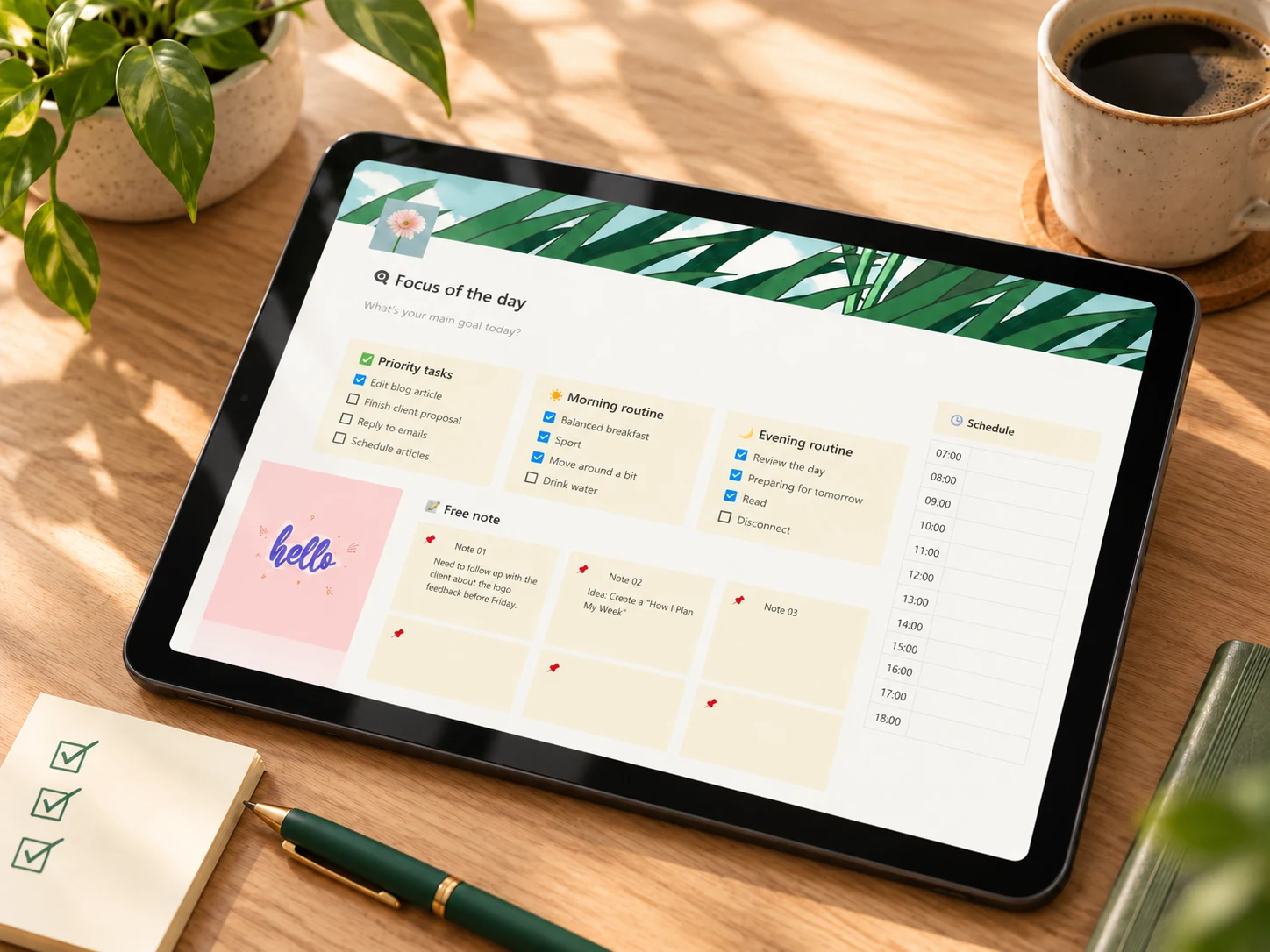 Minimal daily planning
Daily Planner – Notion Template
A customizable daily screen whose public listing includes priorities, morning and evening routines, notes, and an hourly schedule.
See the Notion planner details →Before choosing any template, ask:
- Can I remove sections I do not use?
- Are today's priorities visible immediately?
- Can I understand the page without a tutorial every morning?
- Does the schedule fit my actual day?
- Will I still want to open this after the novelty wears off?
Common mistakes
Treating the daily page as the master system
Your daily page should select from your larger commitments, not contain all of them. Keep project planning and long-term storage separate.
Choosing too many priorities
When eight tasks are marked urgent, none receives a real decision. Choose three; move the rest to an optional list.
Scheduling every minute
Plans need room for transitions and surprises. Use anchors and focused blocks instead of a perfect timeline.
Adding trackers before building the routine
Use the simplest page for a week before adding formulas, linked databases, or extra views. Add a feature only when you can name the recurring problem it solves.
Confusing rollover with planning
Moving yesterday's unfinished list into today preserves clutter. Review every unfinished item and choose its next destination.
Frequently asked questions
Should I make a new Notion page every day?
You can, but you do not have to begin that way. A fresh page gives each day a clean boundary. A reusable page is simpler if you do not need a daily archive. Choose the version you will review consistently.
Do I need a task database?
No. Checkboxes on a page are enough for a small system. A database becomes useful when tasks need to connect to projects, dates, owners, or filtered views. Start with the decision you need, not the feature.
What happens to tasks I do not finish?
Do not move them automatically. Decide whether the task needs a new date, a smaller next action, a place in a project, delegation, or deletion.
Can this work with an irregular schedule?
Yes. Use fewer time anchors and make the focus and priorities more important than the clock. A shift worker, caregiver, or freelancer may plan around events and energy windows rather than a standard workday.
Is an hourly schedule necessary?
No. It is useful when timing matters. If your day is unpredictable, two or three anchors may be more honest and easier to maintain.
Start with tomorrow, not the perfect template
Create one page tonight. Add a focus, three priorities, two or three time anchors, and a place for loose notes. Use it for a normal day. At the end, remove what you ignored and keep what helped you decide.
A daily planner becomes maintainable when it asks less of you. The best system is not the one that displays the most information; it is the one that lets you see the next useful action and begin.
Sources
- Creative Fabrica: Daily Planner – Notion Template
- Notion Help: Duplicate public pages
- Notion Help: Database views, filters, sorts, and groups
Written by Calm Budgets