The booking platform is good at handling reservations. It will not tell you what a property actually made you after fees and cleaning — that needs its own place to live.
One listing is manageable with memory and a shared calendar. Two or three properties, each with its own cleaning schedule, guest messages, and payouts, is where hosts usually start losing track of which booking actually paid what, and when the next cleaning fee is due.
This guide is for Airbnb and short-term rental hosts who want one place for bookings, bills, and income instead of the platform's own dashboard plus a separate spreadsheet plus a notes app.
Why hosting income is easy to lose track of
The platform shows payouts per booking, not a running picture of the month. Cleaning fees, supply restocks, and platform fees often live in a separate receipt pile. A host with more than one property is effectively running several small businesses through one login.
The cost shows up quietly: a cleaning bill that was supposed to be reimbursed and never was, a property whose actual profit after fees and supplies is a guess rather than a number, a check-in missed because it was tracked in the platform's calendar and nowhere else.
The platform is good at handling bookings. It is not built to answer "what did this property actually make me after expenses this month" — that question needs its own place to live.
Keep bookings, bills, and income in one shared view
A host system works best with three things visible together: what is booked and when, what bills are due for each property, and what income actually landed after fees. Keeping these separate — bookings in the platform, bills in email, income in memory — is exactly what causes the numbers to stop matching reality.
This does not replace the booking platform. It replaces the need to reconstruct a property's real monthly performance from four different places.
Track income and bills per property, not just in total
If you host more than one listing, a combined total hides which property is actually profitable and which is barely breaking even after cleaning and supply costs. Separate the numbers by property before combining them into an overall picture.
This also makes seasonal patterns visible: a property that does well in summer and poorly in winter looks very different from one that is steady but low-margin all year, even if their annual totals end up similar.
A simple weekly routine
- Check upcoming check-ins and check-outs. Confirm cleaning and turnover are scheduled for each one.
- Log income from the week's payouts. Record the amount per property, not just the platform's combined deposit.
- Log any bills due. Cleaning fees, supply orders, and recurring costs, matched to the property they belong to.
Ten to fifteen minutes a week keeps this current without turning hosting into a second full-time job on top of guest communication.
A realistic example
Imagine a host running two properties. Without a shared system, a cleaning invoice for the mountain cabin gets paid from the wrong property's budget, and by the time the month is reviewed, it is unclear which listing actually covered its own costs.
With bookings, bills, and income tracked per property and reviewed weekly, the cabin's cleaning cost is logged against the cabin specifically, and the month-end review shows the cabin's real margin clearly instead of a blended guess. This is an illustrative example, not a reported personal result.
What usually breaks host income tracking
- Relying on the platform's combined payout view. It rarely separates fees, bills, and net income the way a host actually needs.
- Mixing bills across properties. A cost logged against the wrong listing quietly distorts both properties' real numbers.
- Tracking bookings but not bills. A full calendar with no expense record still leaves profit as a guess.
- Reviewing only at tax time. A year of unreconciled numbers is much harder to untangle than a weekly check.
A ready-made starting point
If you would rather start from a template built specifically for hosts instead of assembling one from scratch, one option keeps properties, bookings, and money together:
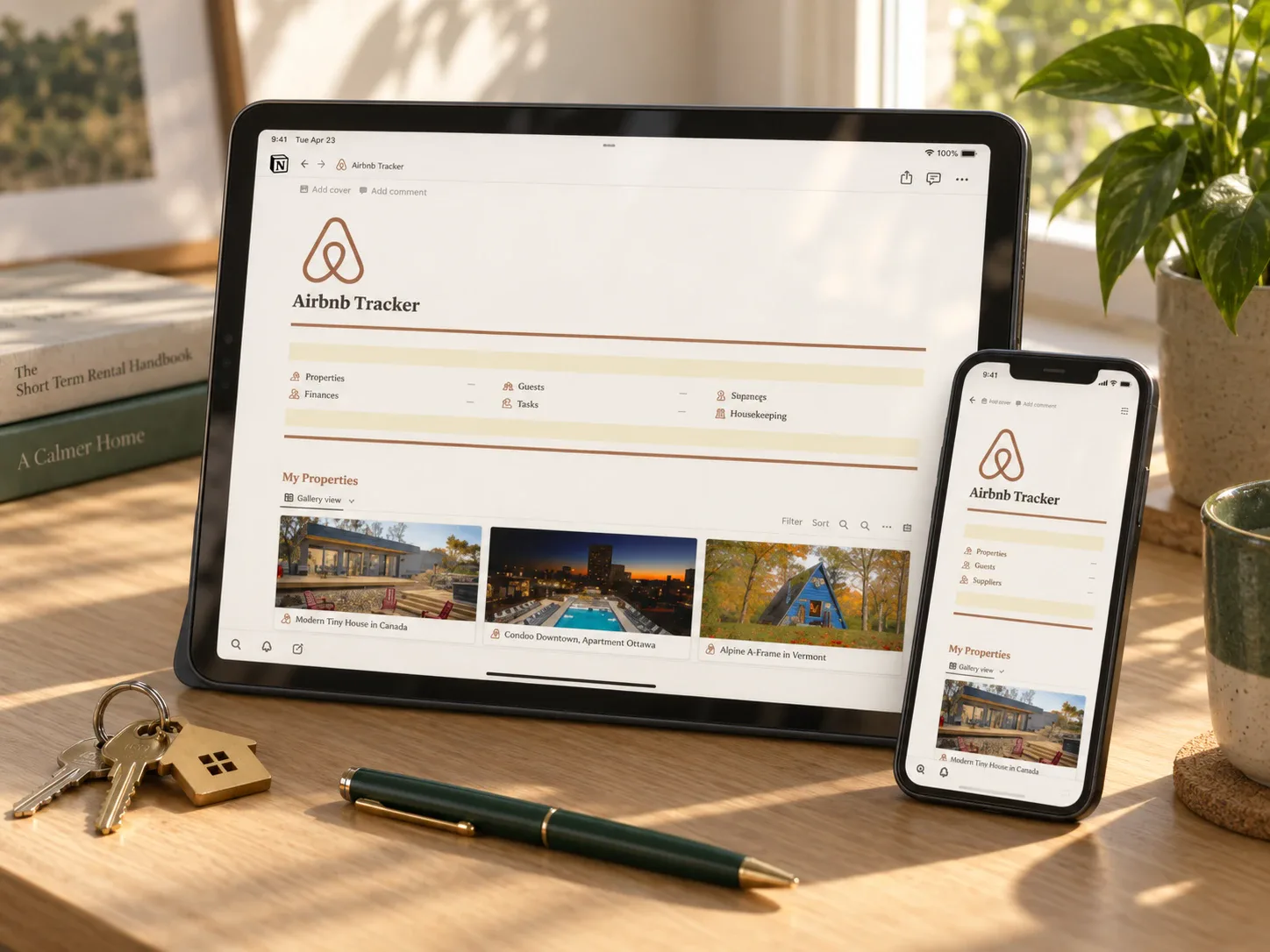 Short-term rental
Notion Airbnb Tracker
Covers properties, bookings, check-ins and check-outs, a budget tracker, bill trackers, and income transactions in one dashboard. It may suit a host running one or more listings who wants bookings and money in the same place.
Read the planner guide →Questions people ask before starting
Is this only useful with multiple properties?
No, but the benefit grows with each additional listing. A single-property host can start simple and grow into the per-property structure if they add more later.
Does this replace the Airbnb dashboard?
No. It complements it — bookings still happen on the platform, but bills, per-property profit, and a combined view live in one place you control.
What about co-hosting or property management fees?
Log them as a bill against the specific property, the same way you would a cleaning fee, so they are reflected in that property's real margin.
How often should I actually review this?
Weekly is enough to stay current. A monthly summary is what actually tells you whether a property is worth keeping as-is.
Start with this week's bookings
List every check-in and check-out you have this week, and note which property each one belongs to. That single list is the seed of the system — everything else is bills and income logged against the same properties.
Written by Calm Budgets