You do not need identical routines for home and business — you need one place where both show up, so nothing falls through the gap.
Running a small content or client-based business rarely stays contained to business hours. A client message arrives during dinner, a video idea comes to you while doing laundry, and a home task gets pushed aside because a deadline feels more urgent — until the house catches up with you anyway.
This guide is for solo creators and small-business owners who are tired of choosing between two separate systems: one for home, one for the business. The fix is not more discipline. It is one shared place for both.
Why splitting home and business rarely works
A planner just for client work leaves home tasks with nowhere to live, so they end up in a notes app, a sticky note, or nowhere at all. A planner just for home makes business goals feel like a separate job you have to remember to open.
The two are not actually separate in a solo business: the same person is doing the client call and the laundry, often in the same afternoon. A system that only covers one half keeps failing to answer the question you actually have: what do I need to do today, across everything?
You do not need to merge home and business into one identical routine. You need one place where both show up, so nothing falls through the gap between two separate tools.
Four things worth having in one shared system
- A daily to-do list that holds both a client deliverable and a household task, so the day's real priorities are visible together.
- A content or client calendar for what is due and when, separate from a general reminders app that mixes everything together.
- A simple income and expense view for the business side, so money questions do not require opening a separate spreadsheet.
- A monthly highlights or goals page that captures what actually happened, not just what was planned.
None of these require a large workspace. They require living in the same place instead of four different ones.
A short daily and weekly rhythm
Each morning, look at one page that shows today's client tasks and today's home tasks side by side. Choose the two or three that actually matter, and let the rest wait. Once a week, check the content or client calendar against the coming seven days and check the income view for anything that needs following up.
This is deliberately short. A system that takes fifteen minutes a day to maintain will get used; one that requires a full planning session every morning usually gets abandoned within a month.
A realistic example
Imagine a freelance designer who also handles the household budget and school pickups. Without a shared system, a client's revision request competes for attention with remembering a permission slip, and one of them gets forgotten on a busy day.
With both on one daily page, the designer sees the revision deadline and the permission slip in the same five-second glance each morning, and neither depends on remembering to check a second app. This is an illustrative example, not a reported personal result.
What usually breaks a combined system
- Making the business side too detailed. A CRM with twenty fields per client gets abandoned faster than one with three.
- Leaving home tasks in a separate app "for now." That gap is exactly where things get missed.
- Skipping the weekly calendar check. Daily tasks without a weekly look-ahead miss deadlines that are still a few days out.
- Treating the finance section as optional. A solo business without a income and expense view tends to notice cash-flow problems later than it should.
A ready-made starting point
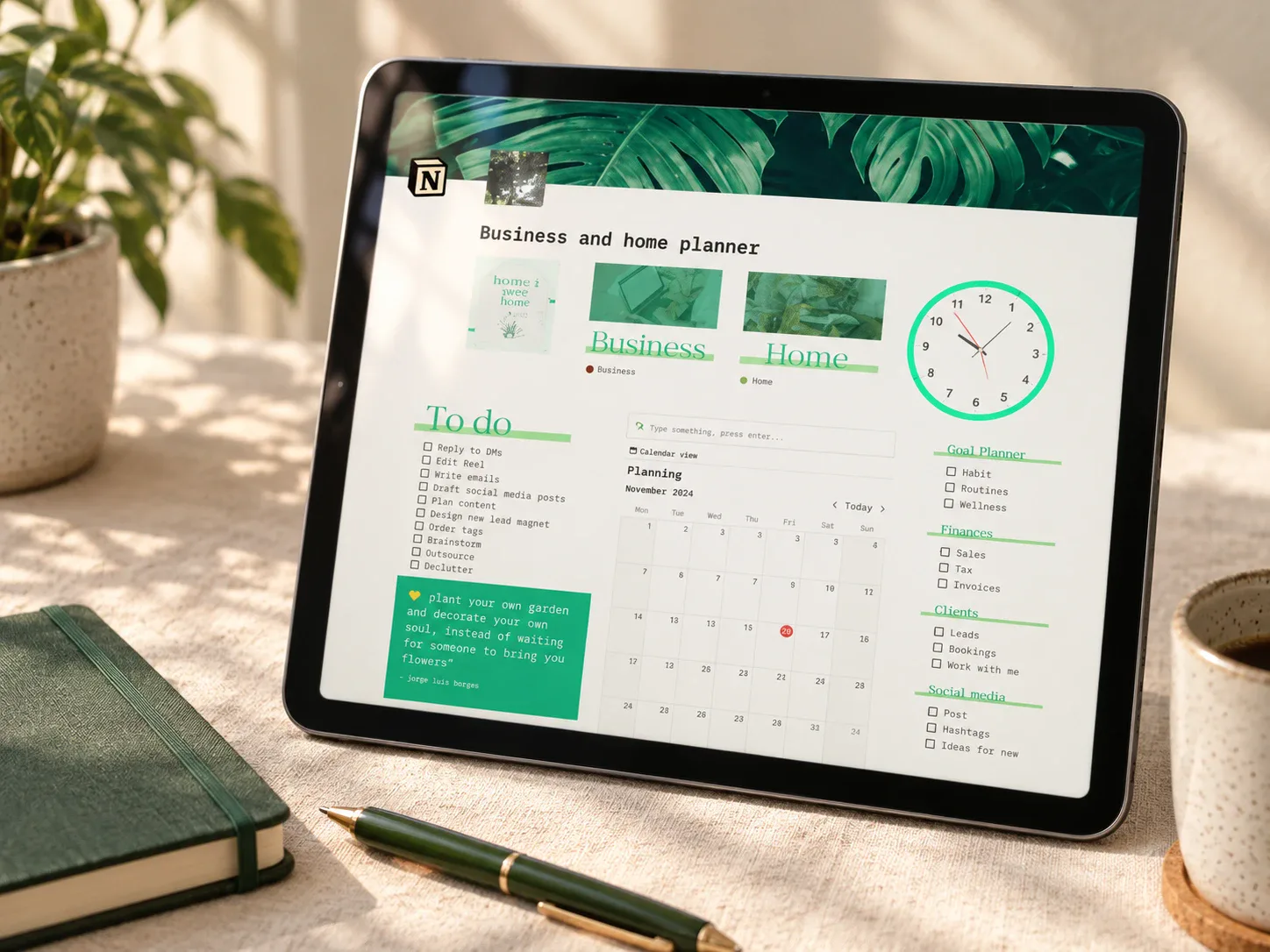
If you would rather start from a template instead of building the four-area system from scratch, one option pairs a home planner with a business side in a single workspace:
 Solo business + home
Aesthetic Home & Business Notion Planner
Pairs a home planner (to-do list, daily tracker, cleaning schedule) with a business side covering goals, an income and expense tracker, a content planner, and simple client management. It may suit a solo creator who wants both halves of the day in one workspace.
Read the planner guide →Questions people ask before starting
Is this only for content creators?
No. It suits anyone running a small solo business alongside a household — coaches, freelancers, and small shop owners included. Content creation is one common use case, not the only one.
Do I need Notion specifically?
No. The four-area structure works in any tool. Notion makes it easier to link a task to a client record or a content date, but the structure matters more than the software.
What if my business does not have "clients" exactly?
Treat the client section as a general relationships or projects list — customers, students, or collaborators all fit the same structure.
How much time does setup take?
Expect under an hour for the initial setup. The daily and weekly rhythm afterward is what actually keeps it useful.
Start with tomorrow morning
Write down three client tasks and three home tasks for tomorrow on one page, side by side. That single page is the whole idea — everything else is just repeating it daily and reviewing it weekly.
Written by Calm Budgets