A planner section earns its place when it supports a real decision, has a reliable source of numbers, fits your review rhythm, and leads to a clear action.
A financial planner can contain hundreds of pages and still make your money harder to manage. The problem is rarely a lack of trackers. It is that every attractive page asks for attention, while only a few sections answer the questions you face each month.
How much money is coming in? What must be paid before the next payday? Where is flexible spending drifting? Which irregular expense is approaching? Are savings and debt payments moving in the intended direction?
The most useful financial planner template answers those questions without forcing you to maintain a second job’s worth of data. For most households, nine sections are enough:
- income plan and actual income;
- recurring bills and due dates;
- flexible spending plan;
- transaction or spending log;
- payday cash-flow calendar;
- sinking funds for irregular expenses;
- emergency savings goal;
- debt payment tracker;
- monthly summary and review.
You may not need all nine immediately. Start with the sections that change a real decision, then add another only when you can explain exactly what it will help you decide.
A financial planner should show income, essential bills, flexible spending, timing, savings, debt, and the difference between the plan and what actually happened. A section earns its place when you review it regularly and take a clear action from it.
The four-question test for every planner section
Before choosing a template, test each page with four questions:
- What decision does this section support? “See my spending” is vague. “Know whether I can spend another $60 on groceries before Friday” is useful.
- Where will the numbers come from? A tracker that requires information you cannot retrieve consistently will become incomplete.
- How often will I update it? Daily, weekly, monthly, and annual pages create different workloads.
- What will I do when the number changes? A chart is only useful if it leads to an adjustment, reminder, transfer, or conversation.
If a page fails all four questions, it is decoration rather than a working financial tool.
1. Income plan and actual income
Keep expected and received income separate. The expected number helps you make the initial plan; the actual number tells you what is genuinely available.
This section should include:
- income source;
- expected amount and date;
- actual amount and date;
- whether the income is regular, variable, or one-time.
The distinction matters for hourly workers, freelancers, commission earners, and anyone with several income streams. A planner that records only a monthly total can hide a late payment or make an unusually strong month look normal.
Consumer.gov recommends gathering pay records, writing down monthly income, listing bills and other expenses, and subtracting expenses from income. The basic calculation is simple; the planner’s job is to keep the inputs visible enough to use.
2. Recurring bills and due dates
A bill list answers what you owe. A bill calendar answers when the money must be available. A useful section combines both.
Include the payee, expected amount, due date, payment method, and paid status. Variable bills such as utilities should keep an estimate and an actual amount rather than pretending they are fixed.
Subscriptions belong here too. They are recurring obligations even when they feel small. Mark renewal frequency so an annual charge does not appear as a surprise.
The Consumer Financial Protection Bureau recommends recording what each bill is for, its amount, and its due date, then checking the calendar regularly. That timing view is especially important when the month is affordable in total but one week is crowded with payments.
3. Flexible spending plan
Flexible categories are expenses whose timing or amount can change: groceries, transportation, eating out, household purchases, personal spending, and entertainment.
The planner should show:
- planned amount;
- amount spent;
- amount remaining;
- the next date you will review it.
Avoid creating a category for every merchant or every small purchase. Split a category only when the separate number would lead to a different decision. If knowing “coffee” separately from “eating out” changes nothing, one broader category may be easier to maintain.
The existing Calm Budgets guide to a monthly budget planner explains how to set category limits. This article is about deciding whether a template makes those limits easy to see and update.
4. Transaction or spending log
A category plan is a limit; the spending log is the evidence. The log does not need complicated bookkeeping, but it should capture enough information to reconcile your totals.
Useful fields are date, merchant or description, amount, category, account, and a short note for unusual purchases. A checkbox for “reviewed” can help when transactions are imported or entered in batches.
The CFPB suggests tracking spending for at least two weeks or a month, then looking for surprises, unnecessary expenses, and unused services. A spending log supports that review. It should not become an archive you maintain without ever asking those questions.
If manual entry makes you abandon the planner, reduce the fields or enter category totals during a weekly check instead. Consistent approximate visibility is more useful than a perfect system that remains empty.
5. Payday cash-flow calendar
A monthly total can look balanced while the account runs short between paydays. A cash-flow calendar places income and required payments on actual dates.
Use it to see:
- which bills fall before each paycheck;
- whether automatic payments could overdraw the account;
- when a savings transfer is safest;
- whether a due-date change would make the month easier.
This section is different from a general calendar. It includes only events that change available cash. For a paycheck-by-paycheck household, it may be more useful than a decorative monthly dashboard.
6. Sinking funds for irregular expenses
Insurance premiums, repairs, gifts, school costs, travel, and annual memberships are not monthly, but they are not necessarily emergencies. A sinking-fund section converts a future cost into a smaller recurring contribution.
For each fund, keep:
- the purpose;
- target amount;
- target date;
- current balance;
- planned contribution;
- amount still needed.
Do not open a separate tracker for every possible expense. Start with the two or three irregular costs most likely to disrupt your budget. Add another fund when there is a known purpose and timeline.
7. Emergency savings goal
Emergency savings deserves its own section because it has a different purpose from planned sinking funds. It is a reserve for unplanned financial shocks such as a repair, medical bill, or loss of income.
The section should show the goal, current balance, contributions, and a short rule describing when the money may be used. It does not need motivational graphics or dozens of mini-challenges.
The CFPB notes that the right emergency-fund amount depends on the household and suggests considering the kinds of unexpected expenses encountered in the past. That is a better starting point than copying a universal target without considering your situation.
8. Debt payment tracker
A debt tracker should make progress and obligations clearer, not create pressure to follow a repayment strategy that does not fit your finances.
Useful fields include creditor, current balance, minimum payment, due date, interest rate, planned extra payment, and updated balance. If you use a snowball or avalanche method, label the current priority without hiding minimum payments on the other debts.
Keep this section connected to the monthly budget. An ambitious extra payment that leaves essential bills uncovered is not a useful plan. If you are unable to make required payments, contact the provider or a qualified nonprofit counselor rather than relying only on a template.
9. Monthly summary and review
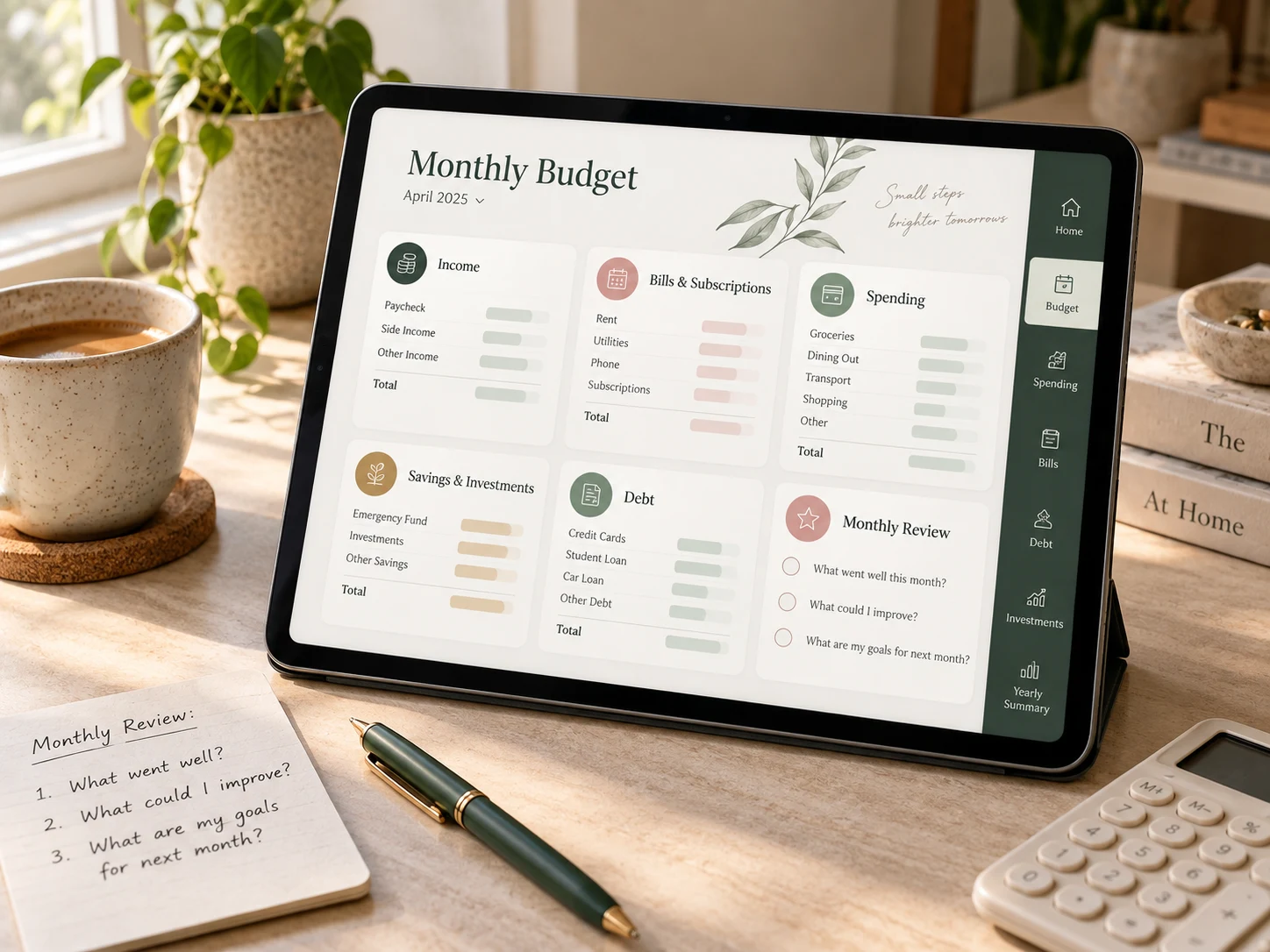
The summary is where the other sections become a system. It should compare the plan with actual results and end with one decision for the next month.
A useful summary can show:
- actual income;
- total spending;
- major category differences;
- bills paid;
- savings and sinking-fund contributions;
- debt payments;
- one adjustment for the next budget.
Do not judge the planner by the number of charts. A compact page that reveals one important difference is more valuable than a dashboard full of figures you do not act on. Use the 20-minute monthly budget review when you are ready to turn the summary into a next-month change.
Sections that are optional, not essential
Some pages can be valuable, but they do not belong in every financial planner.
- Investment tracker: useful when you actively need a consolidated record, but portfolio performance is usually better verified through the provider’s statements.
- Net-worth tracker: helpful quarterly or annually; often unnecessary as a daily or weekly page.
- No-spend challenge: a temporary exercise, not a permanent core section.
- Wishlist: useful only if it changes purchase decisions.
- Financial affirmations: may support motivation, but they do not replace income, spending, or bill data.
- Daily finance journal: worthwhile for a specific behavioral goal; excessive for someone who only needs a weekly check.
Optional does not mean bad. It means the section should be added because it supports your current goal, not because it was included in the download.
Three practical planner sizes
The four-section starter
Begin with income, bills, flexible spending, and a monthly review. This is enough to build a basic plan and see what changed.
The seven-section working planner
Add a spending log, cash-flow calendar, and the savings section most relevant to you. This suits someone who wants weekly visibility without maintaining every possible tracker.
The nine-section complete planner
Use all nine when irregular expenses, emergency savings, and debt are active parts of your plan. The complete version is still focused because every section answers a separate question.
A digital financial planner example
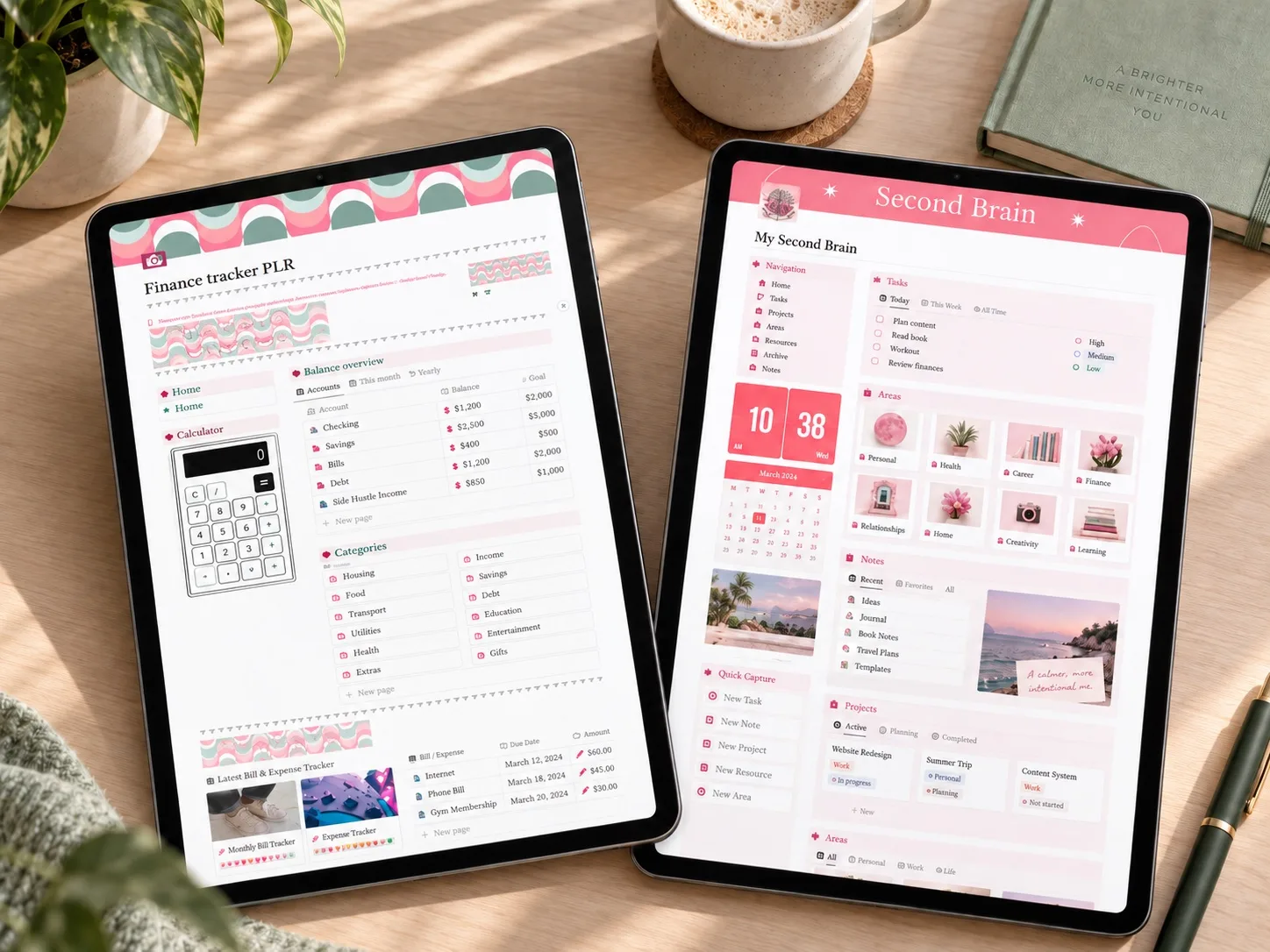
The Notion the Ultimate Life Planner is a useful example of why selection matters. Its public listing describes a customizable Notion workspace with monthly, weekly, and daily planner pages plus separate areas for study, work, finance, and lifestyle. Its Finance Page is designed to track income, expenses, budgeting, and investments.
For a focused money system, start with its Finance Page and add only the wider planning areas that solve a real problem. The listing does not claim that every section in the nine-part framework is included, so compare the template against your own requirements before choosing it.
This product is a Notion template rather than a printable or annotation-based PDF planner. That makes it a better fit for readers who want their financial planning inside a customizable Notion workspace.
 Notion life + finance planner
Notion the Ultimate Life Planner
An all-in-one Notion workspace with monthly, weekly, and daily planning plus a Finance Page for income, expenses, budgeting, and investments.
See the Notion planner details →How to choose before you download
Use this short checklist on any financial planner template:
- The format works on the device or app I actually use.
- I can find income, bills, spending, timing, savings, debt, and review pages quickly.
- Planned and actual amounts are kept separate.
- Recurring bills include dates, not only totals.
- Irregular expenses have a place outside the emergency fund.
- I can remove, duplicate, or ignore sections without breaking the system.
- The planner can be reviewed in one short weekly session.
- I know which four sections I will fill in first.
If you cannot name the first four pages you will use, the template may be too large for your current routine.
Frequently asked questions
Does a financial planner need a daily spending page?
No. Daily entry helps some people, but a weekly transaction review or category update can be enough. Choose the shortest rhythm that still gives you reliable information before decisions are made.
Is a budget planner the same as a financial planner?
A budget planner usually focuses on monthly income and spending. A financial planner can also include cash flow, savings goals, irregular expenses, debt, investments, and longer-term summaries. The labels are not standardized, so compare the actual pages rather than the product name.
Should savings and sinking funds be combined?
They can share one database or table, but label the purpose of each balance. An emergency reserve, a holiday fund, and a car-repair fund answer different questions even when the money is stored in the same account.
How many budget categories should a planner have?
Enough to guide decisions without making weekly maintenance exhausting. Start broad, then split a category only when the separate number would change your plan.
What if I already own a planner with too many pages?
Do not rebuild it immediately. Hide, archive, or ignore unused sections. Keep the four-section starter visible for one month, then add only the page you genuinely missed.
Start with the smallest useful version
Open your current planner and mark the four sections you will use this month: income, bills, flexible spending, and review. Add cash flow, savings, or debt only when one of them answers an active question.
A good financial planner is not the template with the most pages. It is the smallest system that helps you see what is happening and choose what to do next.
Sources
- Consumer.gov: Making a Budget
- Consumer Financial Protection Bureau: Track Your Spending
- Consumer Financial Protection Bureau: Bill Calendar
- Consumer Financial Protection Bureau: Building an Emergency Fund
Written by Calm Budgets